Data Mining - Deep dive into Big Data
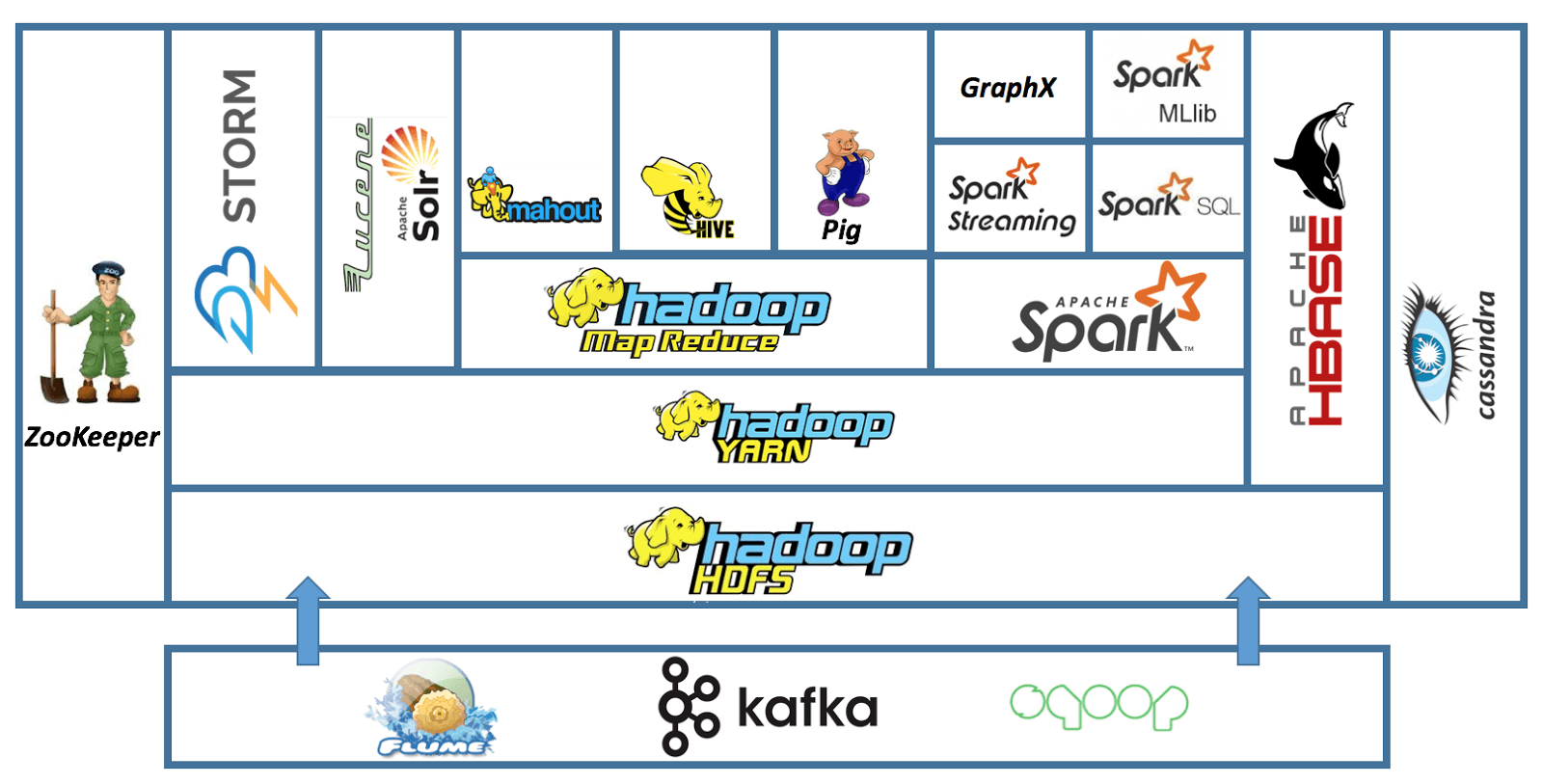
Airflow + Spark cluster
docker-airflow-spark
Docker with Airflow + Postgres + Spark cluster + JDK (spark-submit support) + Jupyter Notebooks
📦 The Containers
- airflow-webserver: Airflow webserver and scheduler, with spark-submit support.
- image:
hoangph3/airflow:2.6.3-extend(custom, Spark version 3.4.1)- Based on apache/airflow:2.6.3-python3.8, and puckel/docker-airflow
- port: 8080
- image:
- postgres: Postgres database, used by Airflow.
- image:
postgres:14.0 - port: 5432
- image:
- spark-master: Spark Master.
- image:
hoangph3/spark:3.4.1 - port: 8081
- image:
- spark-worker[-N]: Spark workers (default number: 1). Modify docker-compose.yml file to add more.
- image:
hoangph3/spark:3.4.1
- image:
🛠 Setup
Build airflow and spark Docker
$ make build_airflow build_spark
Launch containers
$ docker-compose up -d
Check accesses
- Airflow: http://localhost:8080
- Spark Master: http://localhost:8181
👣 Additional steps
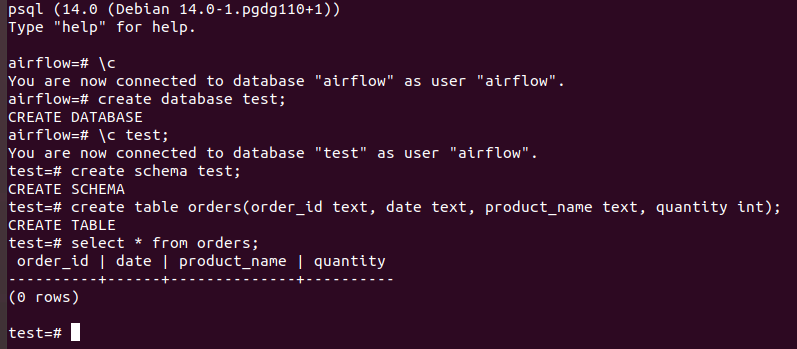
Create test database in postgres:
- Jump into postgres container:
docker exec -it airflow-postgres psql -U airflow. - In container, execute the following command line to create database:
- Copy data into postgres:
docker cp data/ airflow-postgres:/data - Run
python3 psql_client.pyto insert data into orders table.
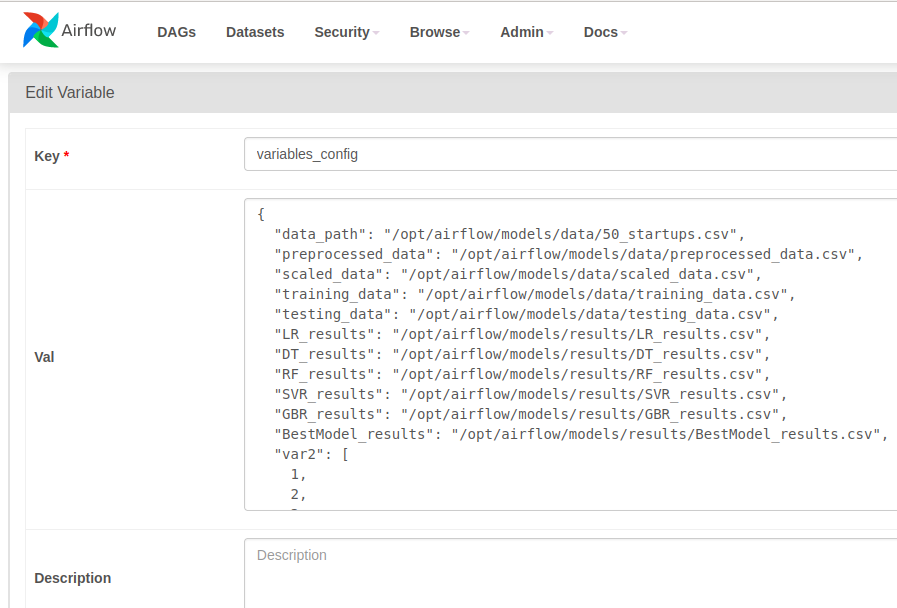
Add airflow variables
- Go to Airflow UI > Admin > Variables
- Upload variables json file.
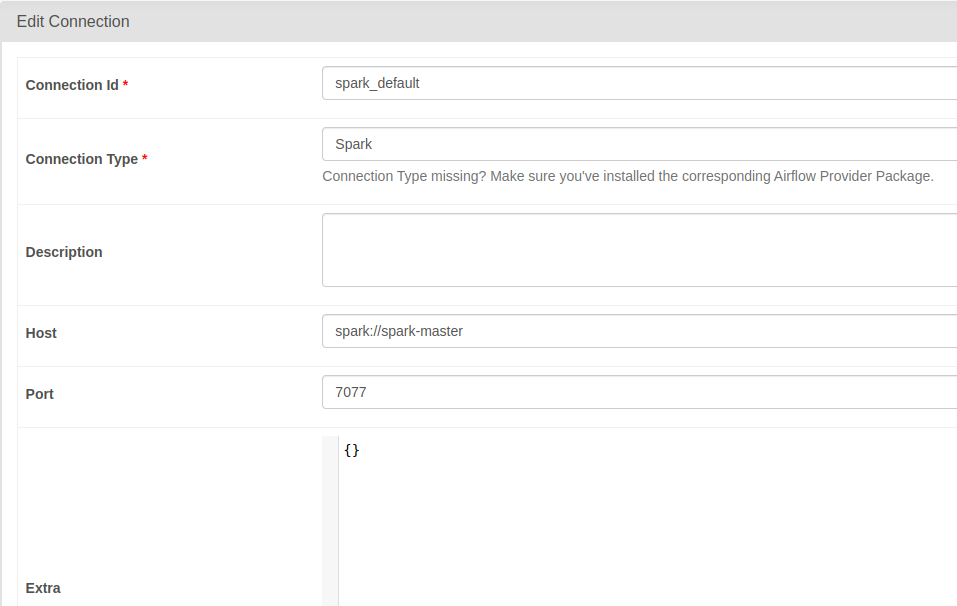
Edit connection from Airflow to Spark
- Go to Airflow UI > Admin > Edit connections
- Edit
spark_defaultentry:- Connection Type:
Spark - Host:
spark://spark-master - Port:
7077
- Connection Type:
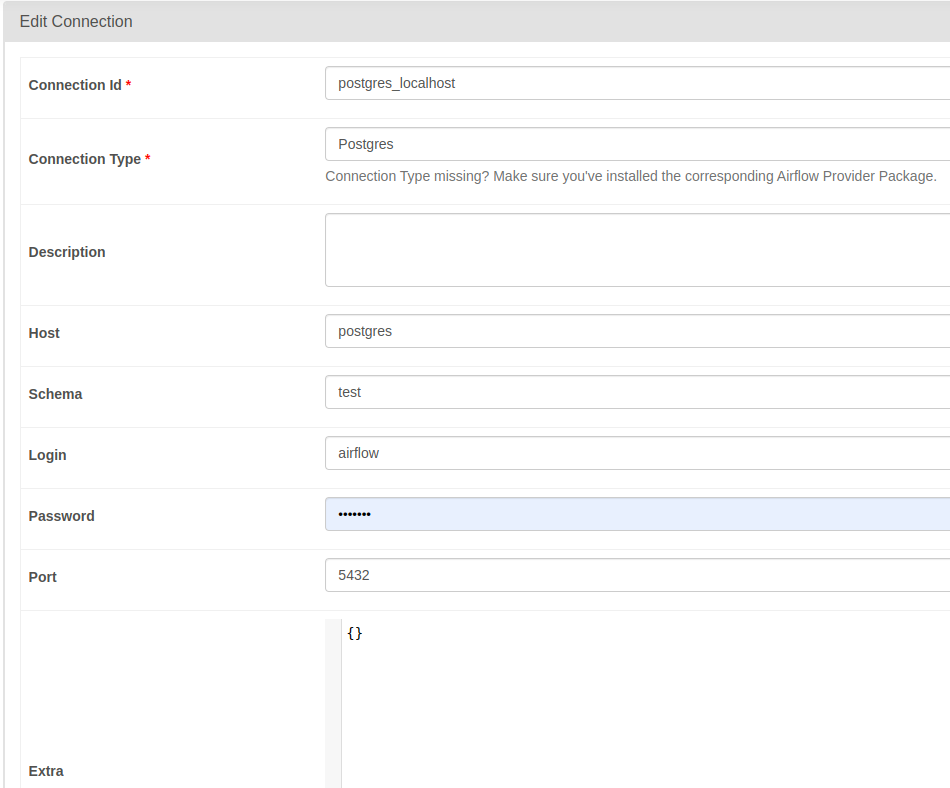
- Edit
postgres_localhostentry:- Connection Type:
Postgres - Host:
postgres - Schema:
test - Login:
airflow - Password:
airflow - Port:
5432
- Connection Type:
- Edit
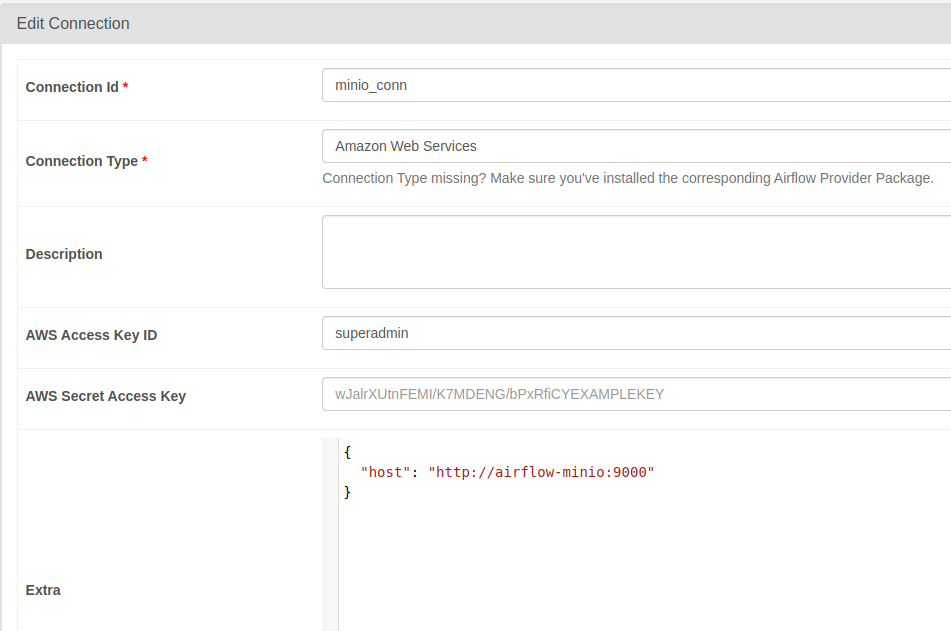
minio_connentry:{ "host": "http://airflow-minio:9000" }- Connection Type:
Amazon Web Services - AWS Access Key ID:
superadmin - AWS Secret Access Key:
secretpassword - Extra:
- Connection Type:
Test spark-submit from Airflow
Go to the Airflow UI and run the tutorial_spark_submit_operator DAG :)
Test postgres operator from Airflow
Go to the Airflow UI and run the tutorial_postgres_hooks DAG :)
Test ml pipeline from Airflow
Go to the Airflow UI and run the tutorial_ml_simple_pipeline DAG :)
Kafka cluster
Deploying kafka cluster kubernetes
- Deploy kafka broker:
NAMESPACE="kafka"

# create and select a new namespace
$ kubectl create ns $NAMESPACE
$ kubectl config set-context --current --namespace="$NAMESPACE"

# deploy the Strimzi operator
$ kubectl create -f strimzi-cluster-operator-0.31.1.yaml

# deploy the Kafka cluster with external accessing
$ kubectl apply -f kafka-ephemeral.yaml
kafka.kafka.strimzi.io/ephemeral-cluster created

$ kubectl get pods
NAME                                                 READY   STATUS    RESTARTS   AGE
ephemeral-cluster-entity-operator-776554c699-h522h   3/3     Running   0          29s
ephemeral-cluster-kafka-0                            1/1     Running   0          57s
ephemeral-cluster-zookeeper-0                        1/1     Running   0          82s
strimzi-cluster-operator-54cb64cfdd-kbndn            1/1     Running   0          2m36s

# list service kafka
$ kubectl get svc
NAME                                         TYPE        CLUSTER-IP       EXTERNAL-IP   PORT(S)                      AGE
ephemeral-cluster-kafka-bootstrap            ClusterIP   10.102.159.187   <none>        9091/TCP                     73s
ephemeral-cluster-kafka-brokers              ClusterIP   None             <none>        9090/TCP,9091/TCP            73s
ephemeral-cluster-kafka-external-0           NodePort    10.111.197.45    <none>        9092:32000/TCP               73s
ephemeral-cluster-kafka-external-bootstrap   NodePort    10.103.113.162   <none>        9092:32100/TCP               73s
ephemeral-cluster-zookeeper-client           ClusterIP   10.99.29.241     <none>        2181/TCP                     99s
ephemeral-cluster-zookeeper-nodes            ClusterIP   None             <none>        2181/TCP,2888/TCP,3888/TCP   99s

# switch to default namespace
$ kubectl config set-context --current --namespace=default
- Create kafka topics:
$ kubectl apply -f kafka-topics.yaml
kafkatopic.kafka.strimzi.io/test-topic created
- Get the address of kafka broker:
$ kubectl get svc -n kafka ephemeral-cluster-kafka-external-bootstrap -o jsonpath -o=jsonpath='{.spec.clusterIP}:{.spec.ports[0].port}'
10.103.113.162:9092
- Testing:
# Send data
python3 kafka-client.py --command produce
100%|██████████| 100/100 [00:00<00:00, 18429.21it/s]

# Read data
python3 kafka-client.py --command consume
{'test-topic', '__strimzi-topic-operator-kstreams-topic-store-changelog', '__strimzi_store_topic'}
{'data': 95}
{'data': 96}
{'data': 97}
...
Spark cluster
Spark Cluster with Docker
A simple spark standalone cluster for your development environment.
| Container | Exposed ports |
|---|---|
| spark-master | 9090 |
| spark-worker-1 | 9091 |
| spark-worker-2 | 9092 |
| my-postgres | 5432 |
Installation
1. Build the image
make build
2. Run the spark cluster
make start
3. Validate your cluster
Accessing the spark UI:
Resource Allocation
- The default CPU cores allocation for each spark worker is 1 core.
- The default RAM for each spark worker is 1024MB.
- The default RAM allocation for spark executors is 256MB.
- The default RAM allocation for spark driver is 128MB.
- If you wish to modify this allocations just edit the env/spark-worker.sh file.
Run sample jobs
Connect to one of the workers or the master:
docker exec -it spark-worker-1 bash
Then execute:
/opt/spark/bin/spark-submit --master spark://spark-master:7077 \
--jars /opt/spark/examples/postgresql-42.5.1.jar \
--driver-memory 1G \
--executor-memory 1G \
/opt/spark/examples/main.py
Verify the database:
psql -h localhost -U admin -d my_db
Password for user admin: ******

my_db=# \dt
         List of relations
 Schema |   Name    | Type  | Owner
--------+-----------+-------+-------
 public | starbucks | table | admin
(1 row)

my_db=# select * from starbucks;
         name          |  size  | price |     sale_price
-----------------------+--------+-------+--------------------
 White Chocolate Mocha | Tall   |  3.75 |              3.375
 White Chocolate Mocha | Grande |  4.45 |              4.005
 White Chocolate Mocha | Venti  |  4.75 |              4.275
 Cinnamon Dolce Latte  | Tall   |  3.65 |              3.285
 Cinnamon Dolce Latte  | Grande |  4.25 |              3.825
 Cinnamon Dolce Latte  | Venti  |  4.65 | 4.1850000000000005
 Caramel Macchiato     | Tall   |  3.75 |              3.375
 Caramel Macchiato     | Grande |  4.45 |              4.005
 Caramel Macchiato     | Venti  |  4.75 |              4.275
(9 rows)
You can get full source code here: data-pipeline, airflow-spark, kafka-cluster, spark-cluster.